
How WatchFIWN was built with Bhippi
WatchFIWN gives creators word-synced, animated subtitles in Hindi, Hinglish and 50+ languages, right in the browser. Here is what it does, who it helps, and how Bhippi was used to build it.
What is WatchFIWN?
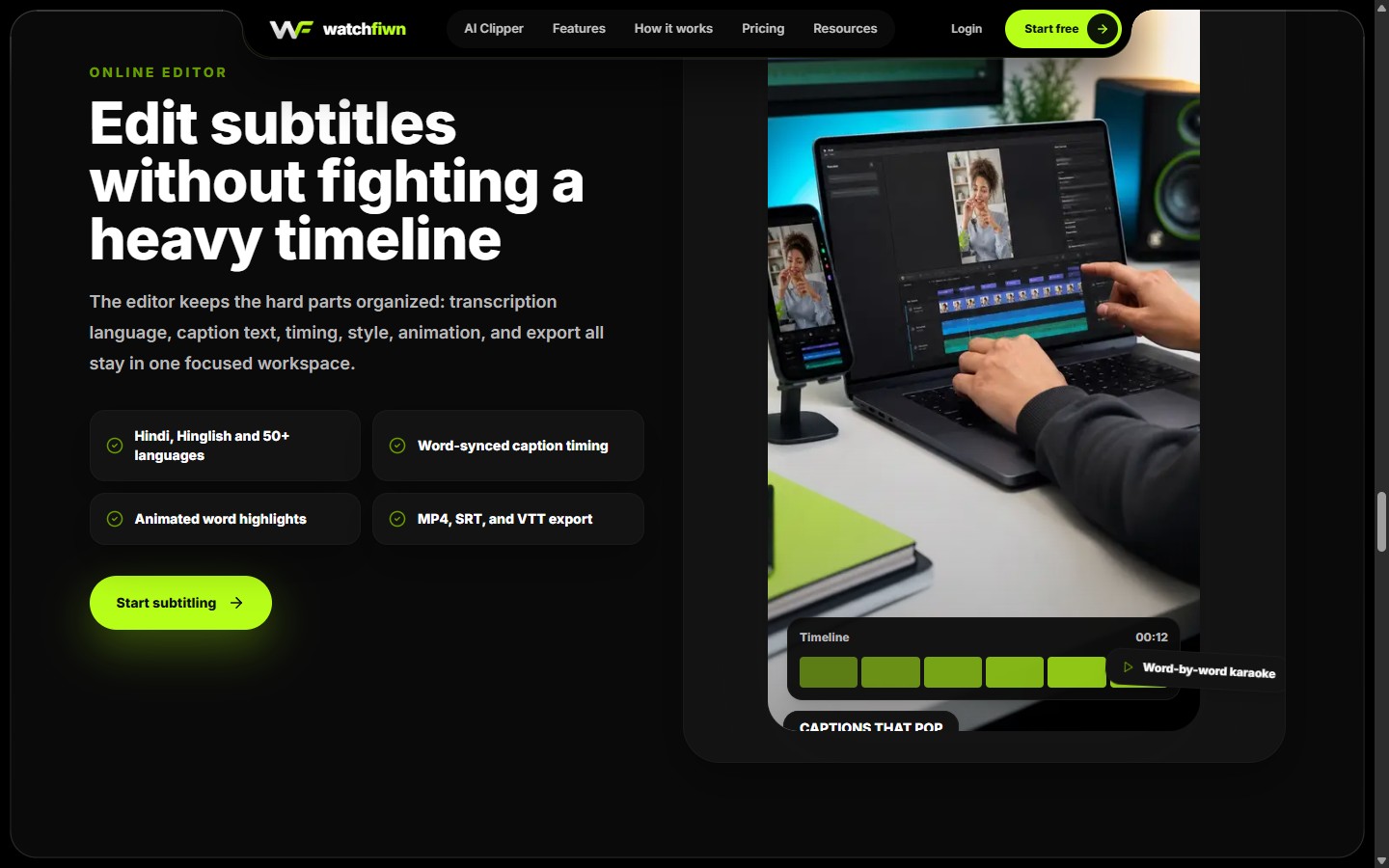
WatchFIWN is a subtitle and caption studio for video creators. You drop in a video, pick the spoken language, and it returns captions that are synced word by word. From there you can edit the text, fix the timing, choose an animated style, and export. Everything happens in the browser, so there is no heavy desktop editor to install and no timeline to learn first.
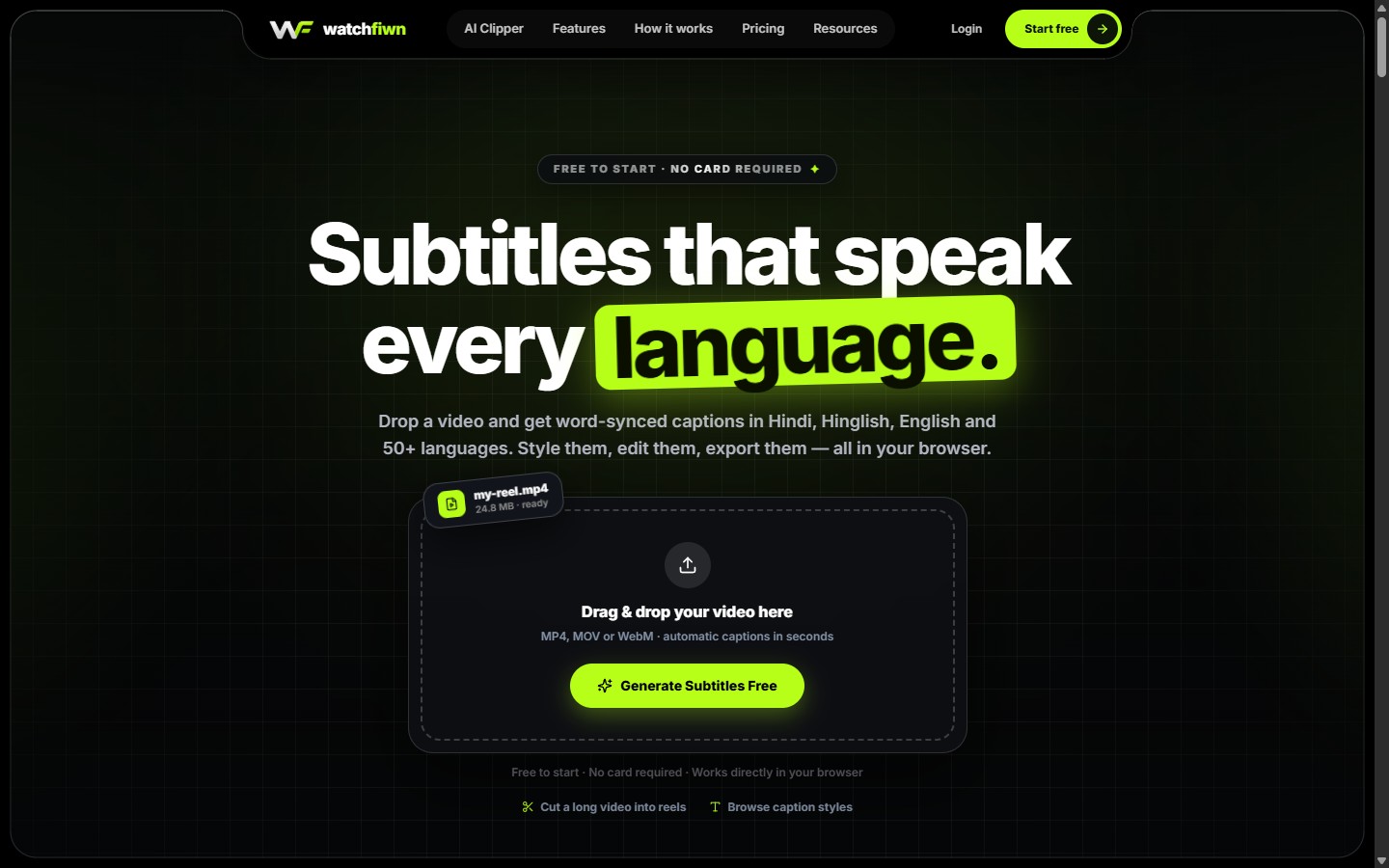
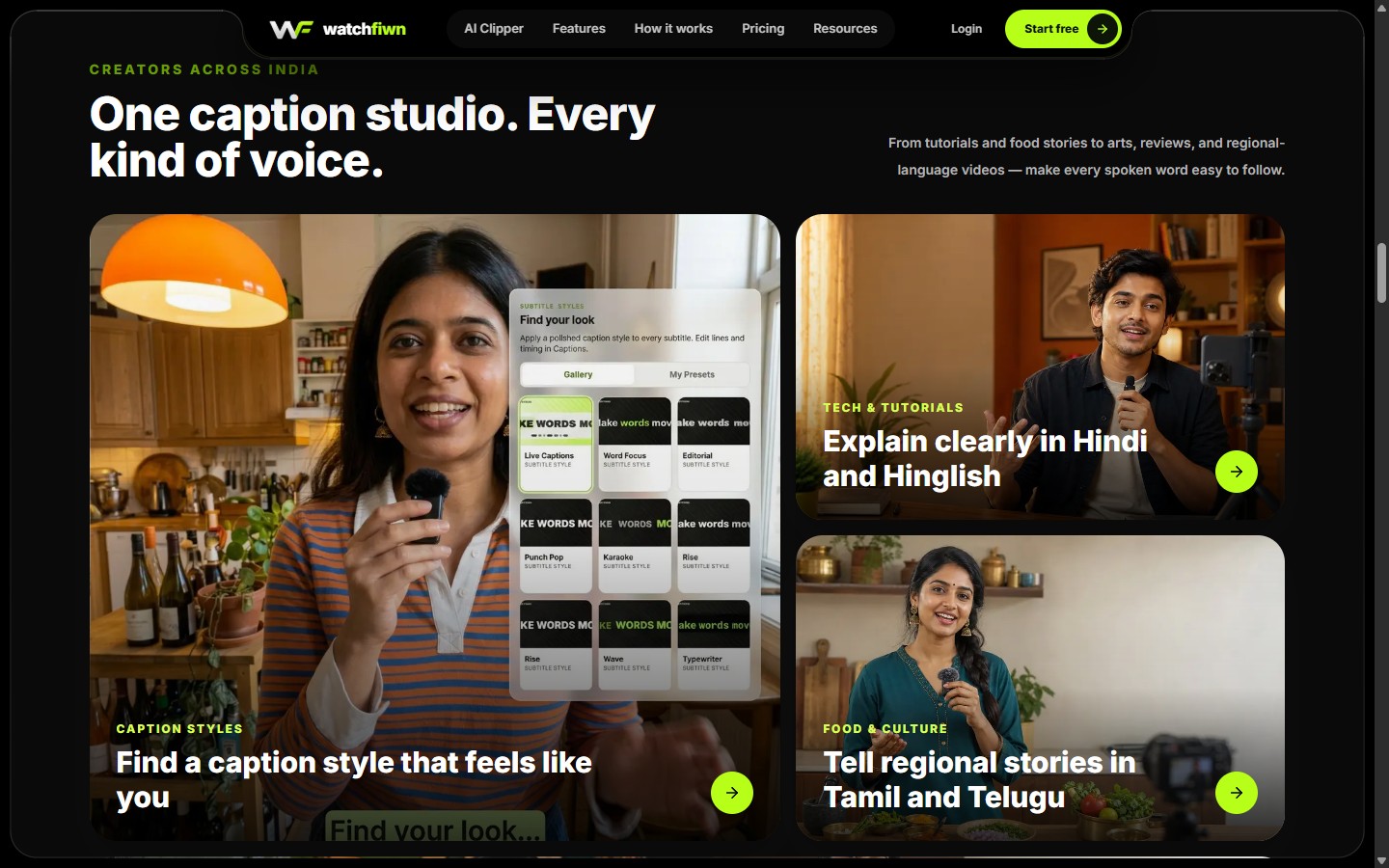
It was made for Indian creators first. Hindi, Hinglish, Tamil, Telugu, Bengali, Marathi, Gujarati, Kannada, Malayalam, Punjabi and Urdu sit next to English and dozens of other languages. That matters, because many creators switch between languages in the same sentence, and generic caption tools often struggle with that.
The problem it solves
Most short-form video is watched with the sound off. Without captions, a good reel is easy to scroll past. Adding captions by hand is slow: you type every line, line up every timestamp, then style it all in a video editor. For a creator posting every day, that can take longer than filming.
WatchFIWN turns that job into three steps. The site sums it up as: “Three steps. No timeline anxiety.”
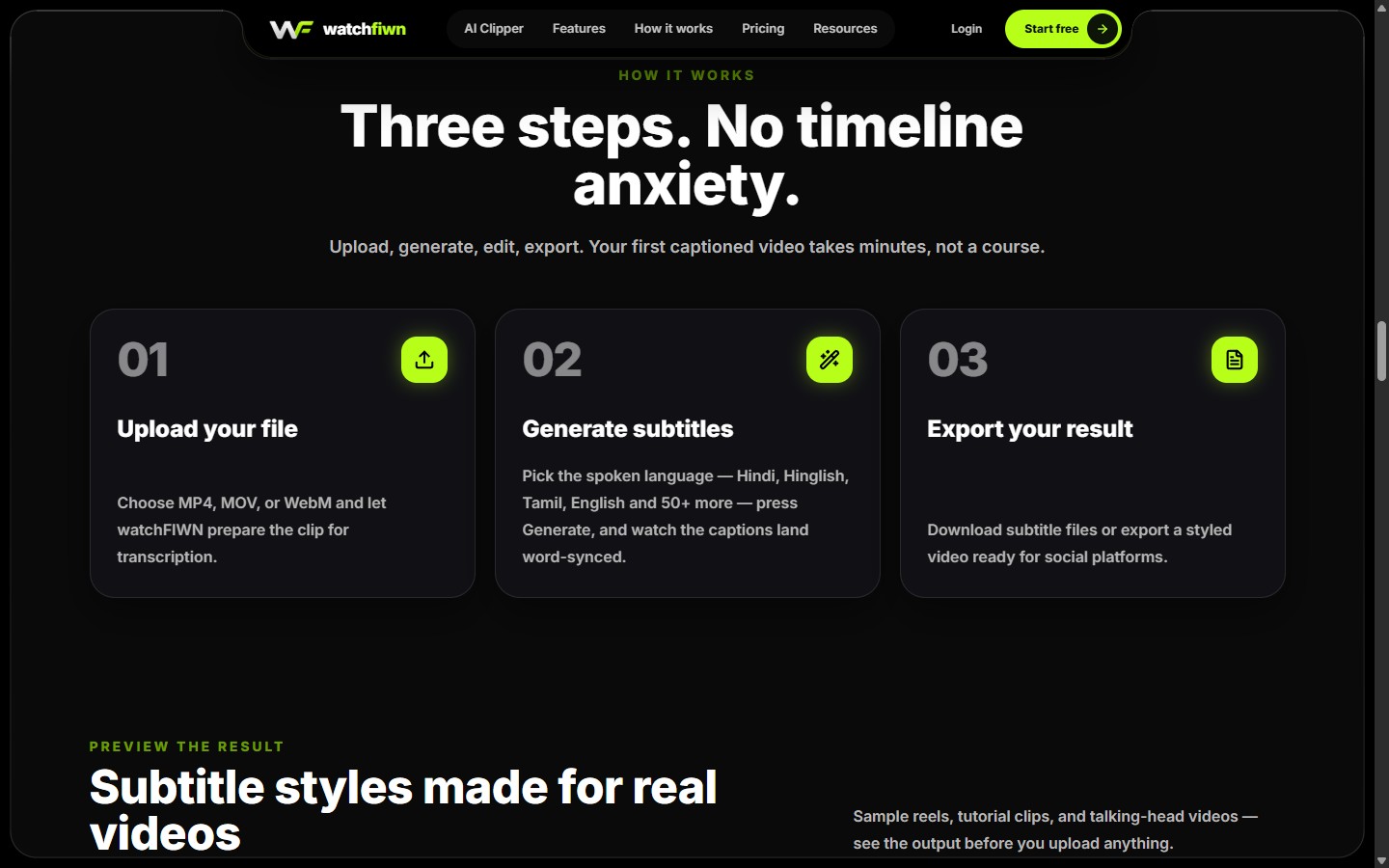
- Upload your file: MP4, MOV or WebM, straight from your device.
- Generate subtitles: choose the spoken language and press Generate. The captions come back synced to each word.
- Export your result: burn the captions into an MP4, or download clean SRT and VTT files for YouTube and other platforms.
Captions that match the creator
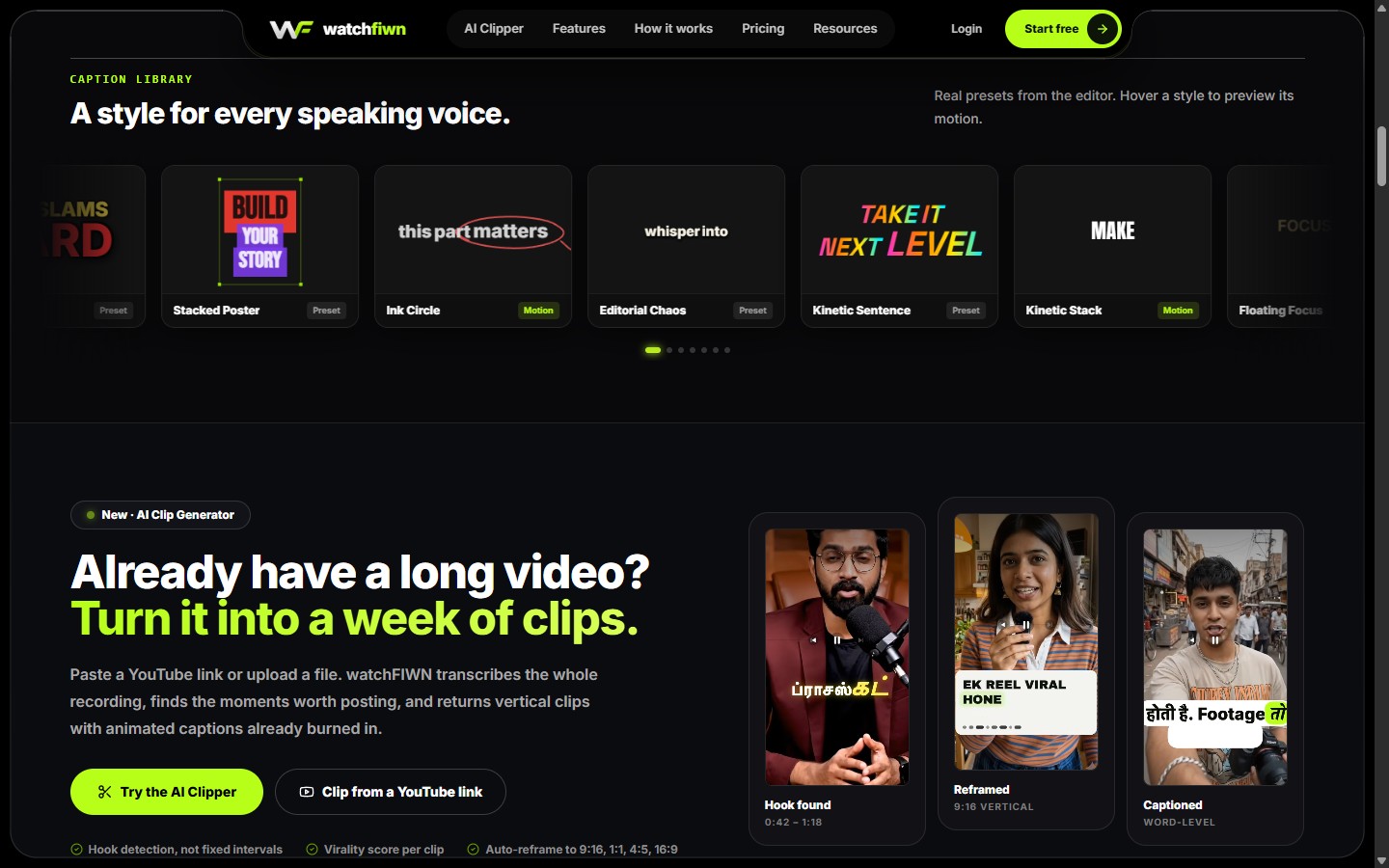
Plain white text works, but it rarely grabs attention. WatchFIWN ships with a large caption library of presets and motion styles, from bold “Hype Drop” and “Neon Pulse” to calmer “Luxury Serif” and “Glass Caption”. Word-by-word highlights, caption boxes, fonts, colours and placement are all adjustable, so a food vlog, a tech tutorial and a podcast clip can each look like their own brand.
An editor without the heavy timeline
AI transcription is a strong start, but names, slang and words spoken over background noise still need a human check. The WatchFIWN editor keeps that review simple. Transcription language, caption text, timing, style, animation and export all live in one focused workspace. You can clean up a line, split or merge captions, and nudge timing without scrubbing through a complex multi-track timeline.
AI Clipper: one long video, a week of clips
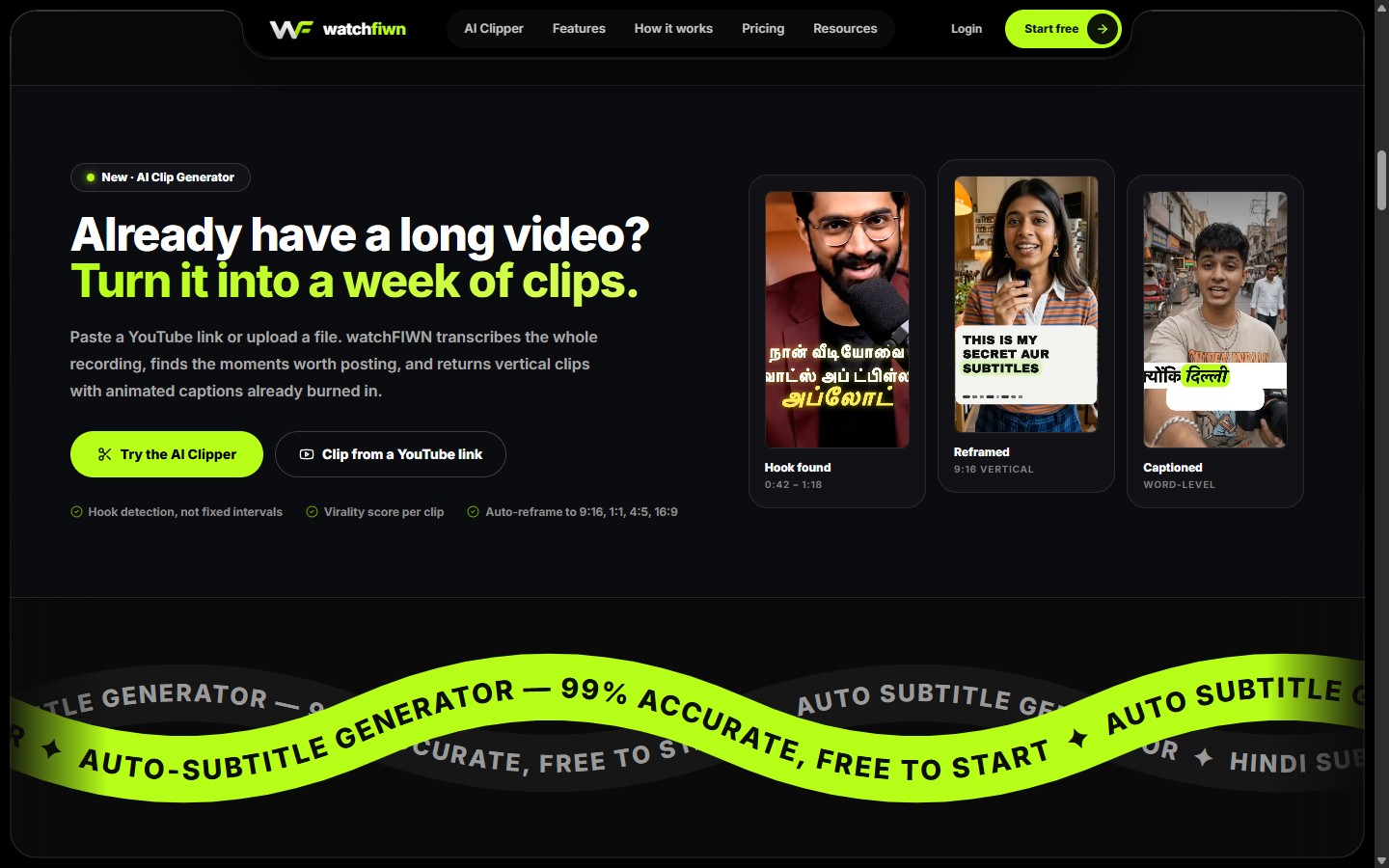
Many creators already have hours of podcasts, streams or lectures. WatchFIWN's AI Clip Generator takes a YouTube link or an uploaded file, transcribes the whole recording and looks for the moments worth posting. It finds hooks instead of cutting at fixed intervals, gives each clip a virality score, reframes it to 9:16, 1:1, 4:5 or 16:9, and burns in animated captions.
Who WatchFIWN helps
- Reels, Shorts and TikTok creators who need captions on every post, fast.
- Educators and course makers explaining things in Hindi or Hinglish.
- Regional-language storytellers reaching viewers in Tamil, Telugu, Bengali and more.
- Podcasters and streamers turning long recordings into short clips.
- Brands and agencies that want captions to match their visual style.
It is free to start with 5 minutes of AI transcription and no card required. Paid plans add more transcription hours, watermark-free exports up to 4K, every caption style and the AI Clip Cutter. Check watchfiwn.com for current plans and pricing.
How Bhippi was used to build it
WatchFIWN was created using Bhippi. Bhippi keeps the AI conversation, the project files, the source editor and a live preview in one desktop workspace. That setup suits a product like WatchFIWN, which has many moving parts: an upload flow, a transcription pipeline, a caption editor, a large style library, an AI clipper and a public marketing site.
- Plan with AI: big features, such as a caption library or an AI clipper, can start as a plain-language plan broken into clear steps.
- Build in context: the AI works with the real project files open, so new work stays consistent with the code that already exists.
- Review every change: edits can be inspected in the source editor before they are kept, so the direction stays in the builder's hands.
- Preview as you go: pages and styles can be checked live while they are built, without jumping between separate tools.
- Bring your own AI: Bhippi works with your choice of supported AI provider, so each task can use the model that fits it.
WatchFIWN is part of our studio archive: an earlier project that took a subtitle-tool idea from a first plan to a live product with real users. Bhippi now focuses on AI-assisted desktop video editing.
Try it yourself
Upload a short clip to WatchFIWN and review your captions. For a desktop editing workflow, explore Bhippi Video Editor: import your footage, describe the edit to your chosen AI provider, and refine the result on a real timeline.
SEE IT LIVE
Try WatchFIWN for free
Subtitles that speak every language.