00:07
AI + YOUR FOOTAGE
100% FREE & OPEN SOURCE · MIT LICENSED
Bring your footage. Describe the video.
Bhippi cuts, paces, captions, and animates on a real timeline — free forever.
No license key. No sign-up required. Free for everyone forever.Windows 10 / 11 (64-bit) · Runs locally on your machine.
MADE IN BHIPPI
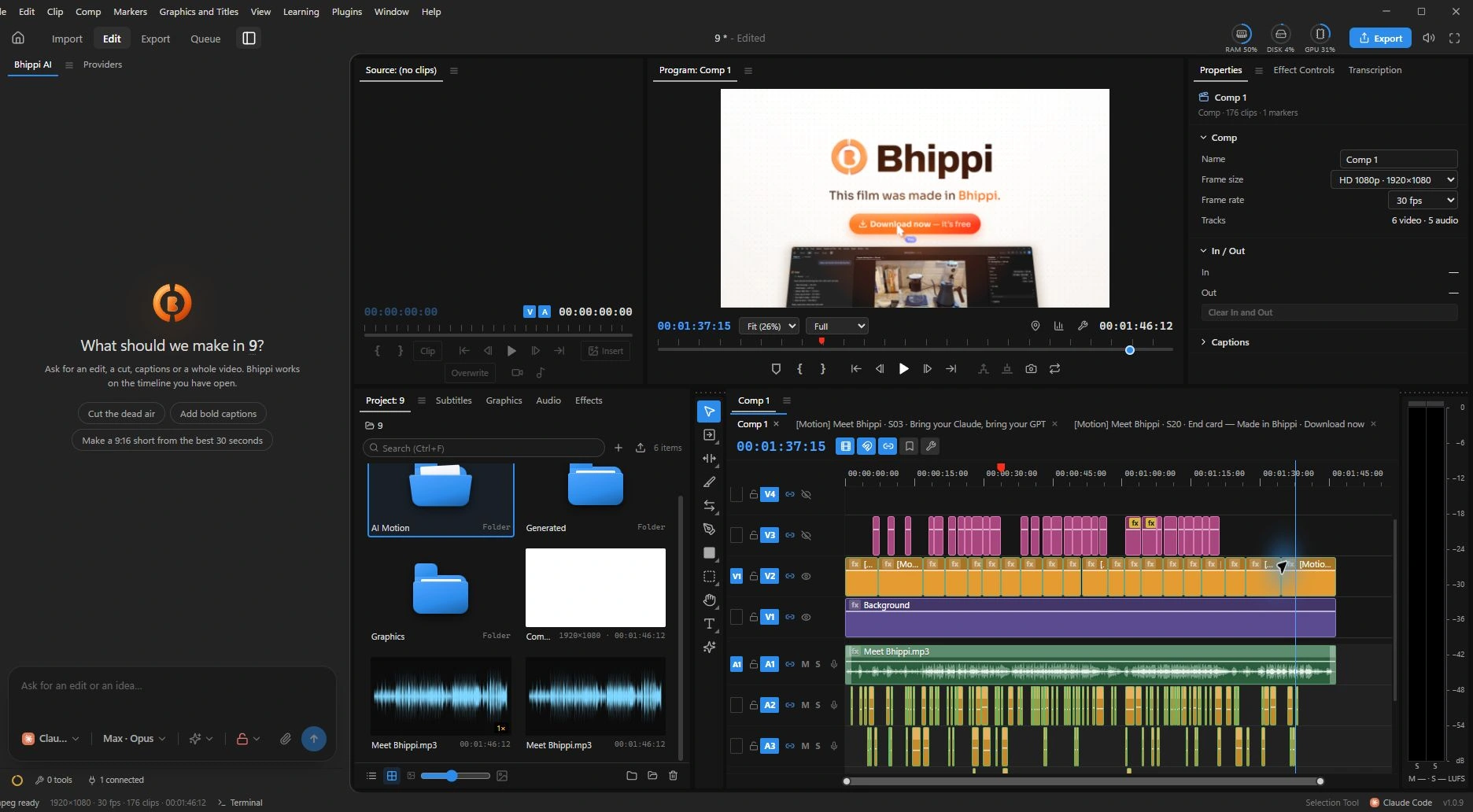
Real moments from our launch film.
The project, the motion, the editable layers.
INSIDE THE STUDIO
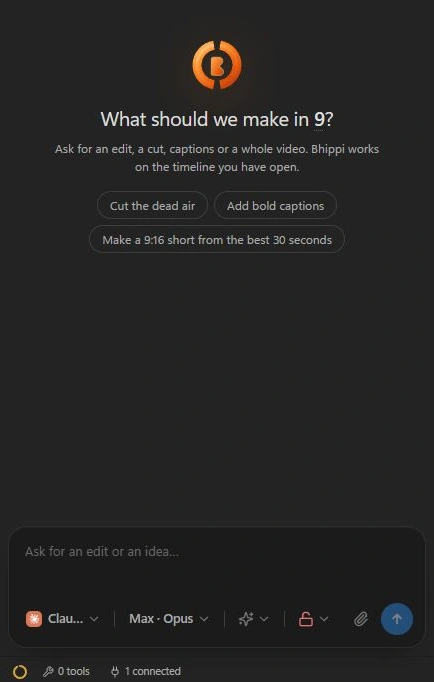
Move from the conversation to the cut.
Your project stays right there with you.
Ask for an assemble cut, tight pacing, captions or music cues. Bhippi writes the edit into tracks, clips and transitions you can see and adjust.
Titles, logo reveals and layered motion scenes, right alongside the edit.
Illustrative motion previewBring your logo, colours and type into a brand kit for your project.
Separate music, narration and sound layers. Keep the mix in your hands.
Illustrative audio visualizationCONNECT YOUR AI PROVIDERS
Use a coding CLI, bring an API key, or connect a local model. Bhippi gives you the editing workspace. You choose the AI.
Your provider's costs are separate from Bhippi.
Connect Claude Code, Codex, Gemini or another supported coding CLI. Sign in to that provider and bring it into your editing workflow.
HOW IT WORKS
Get the app. Connect your AI.
Bring the video you want to make.
Download Bhippi for Windows directly — no account required, no license keys, 100% free and open source.
Run private local models with Ollama / LM Studio or connect your CLI or API key (Claude, OpenAI, Gemini).
Import your footage, describe the vision, and let Bhippi cut, animate captions, design sound, and export in 4K.
OPEN SOURCE & FREE FOREVER
No paid tiers. No locked features. No subscriptions. No license keys. Just full creative freedom.
COMMUNITY EDITION
Open Source · MIT Licensed
$0No card required · No account required
Download and start editing immediately. No sign-in wall, no key activation.
OPEN SOURCE & FREE FOREVER
100% Free & Open Source under the MIT license.
No license keys. No sign-up required. Free for life.
FREE & OPEN SOURCE VIDEO STUDIO
A full video and motion studio. 100% open source.
Download directly or inspect the source on GitHub.
Windows 10 & 11 (64-bit) · MIT License · 100% Free Forever
FROM THE BHIPPI BLOG
Choosing an editor · 17 min read
Bhippi, Premiere, Resolve, Descript, CapCut and AI plugins: what helps after the demo, what costs extra, and which trade-offs are worth making.
Read articleCost & ownership · 6 min read
Why a paid effect can stop a free export, what CapCut’s own guidance says, and the five-minute test to run before editing a whole project.
Read articleAI & control · 6 min read
Desktop editing, cloud assistants and local models have different data paths. A clear way to check the workflow before handing it sensitive material.
Read articleA LITTLE MORE CLARITY
A few things to know
before you start editing.
Yes, 100% free and open-source forever under the MIT license. There are no paid tiers, no subscriptions, no credit card required, and no license keys. Any charges from external AI providers you optionally connect are separate and direct to them.
No! You can download the Windows installer directly or download from our GitHub repository. No sign-up, email, or activation key is needed. Just install and start editing immediately.
Bhippi is a desktop video and motion studio with an AI editor built in. Tell it what the video should be, and it plans a storyboard, cuts and paces the footage, and adds captions, sound effects and motion graphics on a multi-track timeline you can open, trim and undo.
Yes! The entire project is open-source on GitHub (memegyanfactory-gif/bhippi-Video-editor) under the MIT license. You can inspect the source, report issues, create plugins, or contribute freely.
The one you choose. Run local models with Ollama or LM Studio for 100% private, offline editing, or connect a coding CLI (Claude Code, Codex, Gemini) or your own API keys. Bhippi gives you full creative freedom.
Never without your consent. Bhippi runs locally on your PC. Your footage, music, and project edits stay in your local folders. When using local models, nothing ever touches the internet.
Windows 10 and 11, 64-bit.